
– Advertisement –
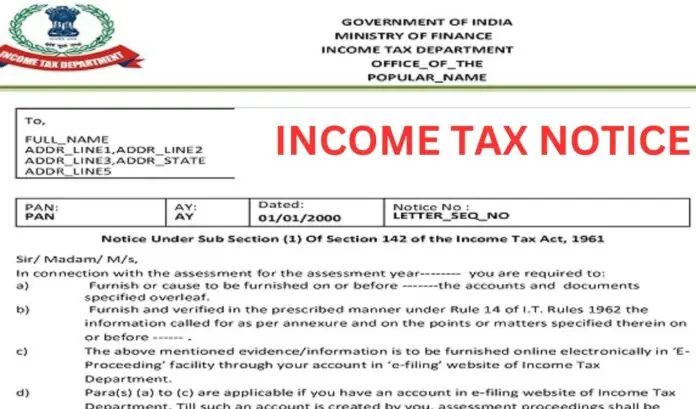
Got a tax notice? Don’t freak out. The Income Tax (IT) department is doing everything online now, so you don’t have to dread visiting an office. Responding is a straightforward digital process. The thing is, you just need to know the difference between a simple update and a demand for action.
Also Read | Unexplained Cash at Home Attracts 84% Tax and Penalty: New Rules.
Intimation vs. Notice: Know the Difference
It is vital to know whether the communication you received is an Intimation or a formal Notice.
| Communication | Purpose | Action Required |
| Intimation (e.g., u/s 143(1)) | An automated summary confirming your return has been processed. It shows any minor adjustments, refunds, or tax due based on the I-T Department’s records matching yours. | Generally NO action is needed, unless a tax demand or clear discrepancy is listed. |
| Notice (e.g., u/s 143(2), 139(9)) | A formal legal request for you to take a specific action, such as providing documents, explaining discrepancies, or rectifying errors. | Mandatory Action is required within the specified deadline to avoid penalties. |
5 Common Income Tax Notices and Why You Get Them
The IT department uses data analytics to issue notices when your filed ITR does not match information they already have (like Form 26AS or AIS).
Also Read | Unexplained Cash at Home Attracts 84% Tax and Penalty: New Rules.
| Notice Section | Reason for Issuance | What It Means |
| Section 139(9) | Defective Return. | Errors or omissions are found in your ITR (e.g., mismatching income, incorrect form used, incomplete mandatory fields). You get 15 days to rectify the defect. |
| Section 143(2) | Scrutiny Assessment. | Your return has been selected for a detailed, thorough examination by the Assessing Officer (AO). They suspect understated income or excessive claims. |
| Section 142(1) | Inquiry Before Assessment. | The AO needs more documents or clarification before completing the assessment. This is often a preliminary step. |
| Section 156 | Notice of Demand. | Issued when any tax, interest, or penalty is payable by you as a result of a completed assessment order. You must pay within 30 days. |
| Section 245 | Setting off Refunds. | The department plans to adjust any refund due to you against an outstanding tax liability from a previous year. You usually have 30 days to object. |
5 Steps to Respond to Any Income Tax Notice Online
Answering a tax notice happens entirely within the income tax e-filing portal. You won’t be sending paper or visiting an office for this, which is good.
Step 1: Log in and Check Your Worklist
-
Visit the official Income Tax Department portal (incometax.gov.in).
-
Log in using your PAN as your user ID.
-
Once logged in, navigate to the Pending Actions section on your dashboard.
-
Click on “e-Proceedings” or look at your “Worklist” tab for actions required.
Also Read | Unexplained Cash at Home Attracts 84% Tax and Penalty: New Rules.
Step 2: Read the Notice Carefully
-
Click on the relevant notice to View Detailed Notices.
-
Crucially, identify the Section (e.g., 143(2), 139(9)). This tells you exactly why the notice was issued and what action is required.
-
Note the deadline. Missing the deadline can lead to hefty fines or your return being treated as invalid.
Step 3: Gather Documents and Draft Your Reply
-
Collect all relevant supporting documentation (bank statements, investment proof, invoices, Challan copies) needed to address the issue raised in the notice.
-
Draft a clear, professional, and factual response. Address every single point raised by the Assessing Officer in the notice. This is a must.
Step 4: Submit Your Response and Attachments
-
Within the e-Proceedings section for the relevant notice, click “Submit Response.”
-
If it’s a Demand Notice (u/s 156), you must choose a response:
-
Demand is Correct: Pay the amount immediately via the e-Pay Tax function.
-
Disagree with Demand: Select the relevant reason(s) and provide a detailed explanation and supporting documents (like proof of prior payment or calculation error).
-
-
Upload your response letter and all supporting documents (ensure they are in the required PDF/JPEG format and size).
Step 5: Final Submission and Tracking
-
After submitting your response, a success message and Transaction ID will be displayed. Keep this record.
-
You cannot update or withdraw your response once it’s submitted.
-
Keep checking the e-Proceedings section once a week for any fresh follow-up notices or clarification requests from the department.
Also Read | Unexplained Cash at Home Attracts 84% Tax and Penalty: New Rules.
🛑 Official Source Disclaimer
DISCLAIMER: Tax rules are complex and change fast. Deadlines are strict. For Scrutiny Notices (u/s 143(2)) or personalized help, always consult a Chartered Accountant (CA).
– Advertisement –
#Notice #Steps #Respond #Online #Confidence #WhoWiki.org
