
– Advertisement –
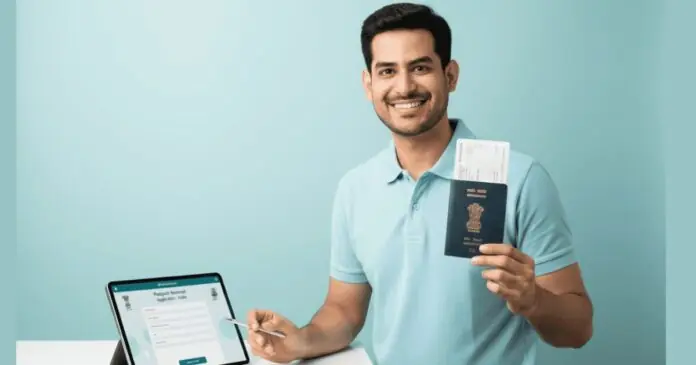
So getting an Indian passport is no longer a slow and painful task. The Ministry of External Affairs (MEA) has changed the game with the Passport Seva app. The goal? To let you apply, pay, and book dates right from your smartphone. In fact, this app stops the need to stand in long queues or visit offices many times. Plus, it brings the entire power of a passport office to your pocket.
Add rightsofemployees.com as a Preferred Source


What Is The Passport Seva App?
But here is the main reason to download it. This app is part of the larger Passport Seva Project. Is it safe? Yes. The MEA developed it to make services more user-friendly for every Indian. Consequently, you can handle most tasks without needing to step inside a physical office. Moreover, it is available for both Android and iOS devices. Previously, users had to rely on slow desktop sites. So, the new app makes the journey much smoother. Therefore, it is the best tool for frequent travelers in 2026.
Key Features You Must Use (2026)
| Feature | What It Does | The Benefit |
| 📍 Live Tracking | Monitor your file in real time | Peace of Mind |
| 📅 Booking | Pick, change, or cancel dates | No More Queues |
| 💰 Fee Tool | Calculate costs instantly | Transparent Pricing |
| 📋 Checklist | Lists all needed papers | No Missed Docs |
| ✍️ E-Forms | Fill details on your screen | Paperless Apply |
Step-By-Step Guide To Using The App
Still, many new users feel a bit lost at first. The plan? To follow a simple path from sign-up to payment. And, you must verify your email to lock in your account. Accordingly, here is how you get started:
-
Download: Get the app from the Play Store or App Store.
-
Register: Set up a new user ID and pick your local office.
-
Verify: Click the link in your email to activate your profile.
-
Fill Forms: Type in your details and upload your scans.
-
Pay & Book: Pay the fee and choose a time at your nearest PSK.
Why This Mobile Shift Matters
But why is the MEA pushing this mobile app so hard? The reason is simple: it cuts down on human error and speed. Why? Because the app guides you through every rule so you don’t make mistakes. Essentially, it takes the stress out of government paperwork. Indeed, whether you need a fresh book or a renewal, the app saves you hours of work.
Then there is the matter of complaints. If you face a delay, you can lodge a ticket directly in the app. Worth noting: You can also track your complaint status without calling anyone. Ultimately, the Passport Seva app shows how tech can make life easier for everyone.
Frequently Asked Questions (FAQs)
Can I upload my photo and signature through the app? So, the answer is yes. The app allows you to upload digital scans to speed up the process. Because of this, your time at the actual PSK will be much shorter.
Is the app fee different from the website fee? In fact, the fees are exactly the same. Additionally, the built-in calculator helps you find the exact price for “Tatkaal” or “Normal” services.
Can I change my appointment date through the phone? But yes, you can reschedule your visit up to three times. Consequently, if you miss your date, you can simply pick a new one from the calendar in the app.
Recent Posts
Add rightsofemployees.com as a Preferred Source
– Advertisement –
#Apply #Renew #Phone #WhoWiki.org
